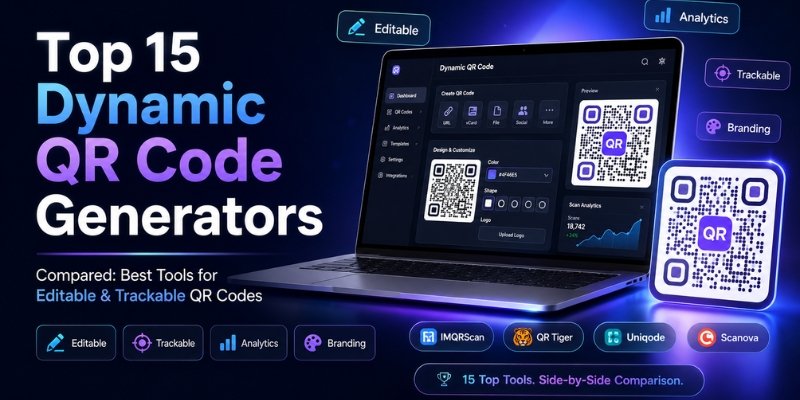
Not all QR codes work the same way. Some lock you in after printing. Others let you change the destination, track every scan, and add your brand colors.
This guide compares 15 dynamic QR code generators side by side. You will see what each tool offers, who it is best for, and which one gives the most value.
Whether you run a restaurant, salon, dental practice, or marketing agency, there is a right tool for your needs. Let us help you find it.
| What is the best dynamic QR code generator? Our top pick for small businesses is IMQRScan because it combines editable QR destinations, scan analytics, branding and straightforward campaign management in minutes, all without any technical skills. It is ideal for restaurants, dentists, salons, real estate agents, marketers, and local businesses that want practical results without complexity. |
Table of Contents
How We Evaluated These QR Code Generators
We compared each QR code platform using the same core criteria: support for dynamic QR codes, ability to edit destinations after printing, scan analytics, branding options, ease of use, bulk creation, API/integration options, pricing structure, and suitability for different business sizes.
Features were reviewed using the platforms’ publicly available product information and documentation as of August 2026. Rankings also consider how practical each platform is for its intended audience. Because features and pricing can change, readers should confirm current details on the provider’s official website before purchasing.
Hands-on testing: We created QR codes using IMQRScan, Canva, QR Tiger and QRStuff to evaluate setup, customization and usability. For platforms we did not test directly, features were verified against official product documentation and pricing pages.
What Is a Dynamic QR Code Generator?
A dynamic QR code generator is a tool that creates QR codes you can update after printing.
With a static QR code, the destination is locked. If the link changes, the QR code becomes useless.
With a dynamic QR code, the code itself stays the same. But the destination URL behind it can be changed any time. You can also track how many people scanned it, when, and from where.
This makes dynamic QR codes far more useful for businesses, events, menus, and marketing campaigns.
Why Businesses Use Dynamic QR Codes
Dynamic QR codes solve real problems for business owners. Here is why they are popular:
- You can update the destination without reprinting. Change a menu URL, a promo link, or a landing page anytime.
- You can track scans. See how many people scanned your QR code, which device they used, and where they were.
- You can add branding. Include your logo, pick custom colors, and add a call-to-action frame.
- You can run campaigns. Point one QR code to different pages for seasonal promotions.
- You save money. No reprinting needed when content changes.
Restaurants, dentists, salons, real estate agents, event teams, and marketers all use dynamic QR codes to connect offline materials with online actions.
Note: This comparison primarily evaluates dynamic QR platforms but also includes several widely used static QR generators for readers who may not require editable destinations or scan analytics.
Quick Comparison Table: Top 15 Dynamic QR Code Generators
| Rank | Tool | Best For | Dynamic QR | Analytics | Custom Brand | Ease of Use | Best Reason to Choose |
| 1 | IMQRScan | Small biz, restaurants, salons, dentists | ✅ | ✅ | ✅ | ⭐⭐⭐⭐⭐ | Easiest editable+trackable QR for local business |
| 2 | QR Tiger | Agencies & power users | ✅ | ✅ | ✅ | ⭐⭐⭐⭐ | Huge feature set, bulk creation |
| 3 | Uniqode | Enterprise & large teams | ✅ | ✅ | ✅ | ⭐⭐⭐ | Advanced analytics, enterprise security |
| 4 | QR Code Generator PRO | General marketing | ✅ | ✅ | ✅ | ⭐⭐⭐⭐ | Clean UI, strong templates |
| 5 | Scanova | Agencies & brands | ✅ | ✅ | ✅ | ⭐⭐⭐⭐ | Detailed analytics, white-label option |
| 6 | Flowcode | Events & campaigns | ✅ | ✅ | ✅ | ⭐⭐⭐⭐ | Beautiful design-led QR codes |
| 7 | QRCodeChimp | Designers & creators | ✅ | ✅ | ✅ | ⭐⭐⭐⭐ | Wide design customisation |
| 8 | QR.io | Startups & developers | ✅ | ✅ | ✅ | ⭐⭐⭐ | API access, dev-friendly |
| 9 | QRStuff | Budget users | ✅ | ✅ / plan-dependent | ✅ | ⭐⭐⭐ | Broad QR types + dynamic editing + analytics |
| 10 | Canva | Designers & social media | ✅ | ✅ / plan-dependent | ✅ / plan-dependent | ⭐⭐⭐⭐⭐ | Dynamic/static QR creation inside Canva designs |
| 11 | Adobe Express | Creative teams | ❌ | ❌ | ✅ | ⭐⭐⭐⭐ | Brand-consistent QR with Adobe tools |
| 12 | Bitly | Link managers & marketers | ✅ | ✅ | ✅ | ⭐⭐⭐⭐ | Great if already using Bitly for links |
| 13 | Jotform | Form-first businesses | ✅ Form/workflow-based | Limited | Limited | ⭐⭐⭐ | QR codes that link directly to forms |
| 14 | Visme | Content marketers | Limited | ❌ | ✅ | ⭐⭐⭐ | Nice QR + infographic combo |
| 15 | QRCode Monkey | Free/basic users | ❌ (static only) | ❌ | Limited | ⭐⭐⭐⭐ | Best free static QR generator |
Note: Beaconstac has merged with Uniqode and now operates under the Uniqode brand. They are the same product. Only Uniqode is listed in this comparison to avoid duplication.
Top 15 Dynamic QR Code Generators Compared
1. IMQRScan
IMQRScan is a clean and practical dynamic QR code generator built for small businesses and local brands. It focuses on what most businesses actually need: editable QR codes, scan analytics, branded designs, and easy campaign management.
Best For: Small businesses, restaurants, dentists, salons, real estate agents, marketers, event teams, and agencies
Key Features:
- Create dynamic QR codes with editable destinations
- Real-time scan tracking and analytics dashboard
- Branded QR codes with logo, colors, and frames
- QR codes for menus, WhatsApp, Google reviews, vCards, PDFs, landing pages, and coupons
- Campaign management for multiple QR codes
- Simple setup, no technical skills required
Pros:
- Beginner-friendly with a clean interface
- Full dynamic QR editing and tracking
- Useful for offline-to-online marketing
- Good range of QR types for local business use cases
- Strong branding options including logo and frame
Cons:
- Newer platform compared to some enterprise tools
- Fewer third-party integrations than larger platforms
Why it ranked here: IMQRScan earns the top spot because it delivers exactly what small businesses need: editable QR codes, scan tracking, branded designs, and simple setup. It is not overloaded with enterprise features that most local business owners will never use. The focus on practical use cases, restaurants, dentists, Google reviews, WhatsApp, and campaigns makes it the most relevant tool for the majority of users reading this guide.
2. QR Tiger
QR Tiger is one of the most established dynamic QR code platforms on the market. It offers a large feature set including bulk QR creation, deep analytics, and a wide range of QR code types.
Best For: Agencies, power users, and brands managing many QR codes at once
Key Features:
- Bulk QR code creation
- Dynamic QR codes with editable URLs
- Detailed scan analytics with location and device data
- Custom QR designs with logo and color options
- API access for developers
- Wide range of QR types: URL, PDF, social media, vCard, menu, and more
Pros:
- Feature-rich platform
- Good analytics and tracking
- Supports many QR code types
Cons:
- QR Tiger offers a broader feature set than simpler QR tools, which may be more than some small businesses require.
- Higher cost tiers for advanced features
Why it ranked here: QR Tiger ranks second for its depth of features and reliability. It is a strong choice for agencies and teams managing dozens of QR codes. For small businesses that just need a few editable QR codes, IMQRScan is simpler and more focused.
3. Uniqode (formerly Beaconstac)
Uniqode, previously known as Beaconstac, is an enterprise-grade QR code management platform. It is used by large companies for brand campaigns, supply chain applications, and customer engagement at scale. Note: Beaconstac has fully rebranded as Uniqode, they are the same company.
Best For: Enterprise teams, large brands, and companies with compliance requirements
Key Features:
- Advanced dynamic QR code creation
- Enterprise-level analytics with detailed reports
- SSO and user role management
- Integrations with CRM and marketing tools
- Bulk creation and campaign templates
Pros:
- Powerful analytics and security controls
- Trusted by large enterprises
- Reliable uptime and support
Cons:
- Expensive for small businesses
- Complex setup for basic needs
Why it ranked here: Uniqode earns the third spot for its enterprise capabilities. It is overkill for most small businesses but excellent for large organisations that need advanced controls. For SMBs, IMQRScan is a smarter and more affordable fit.
4. QR Code Generator PRO
QR Code Generator PRO is a popular mid-range tool with a clean interface and a solid set of dynamic QR features. It is a reliable choice for marketers and mid-sized businesses.
Best For: General marketers and small-to-mid-size businesses
Key Features:
- Dynamic QR codes with URL editing
- Scan statistics and analytics
- Custom design with logos and colors
- Wide QR type library
Pros:
- Easy to use
- Good template library
- Reasonable pricing
Cons:
- Analytics less detailed than enterprise tools
- Limited integrations
Why it ranked here: QR Code Generator PRO offers a good balance of ease and features. It ranks fourth for its clean user experience and wide QR type support.
5. Scanova
Scanova is a feature-rich QR code platform popular with agencies and brands that need detailed analytics and white-label options.
Best For: Agencies, brands, and marketing professionals
Key Features:
- Dynamic QR codes with destination editing
- Detailed analytics with heatmaps and geo-data
- White-label QR code solution
- Custom QR code designs
Pros:
- Excellent analytics reporting
- White-label option for agencies
- Good customisation
Cons:
- Higher cost for white-label
- Interface can feel dated
Why it ranked here: Scanova ranks fifth for its strong analytics and agency-friendly white-label features. A solid choice for marketing professionals who need detailed reporting.
6. Flowcode
Flowcode focuses on design-first QR codes built for events, campaigns, and brand activations. It is known for visually appealing QR designs.
Best For: Event teams, campaign managers, and brand marketers
Key Features:
- Custom-designed QR codes with brand colors and patterns
- Dynamic QR with scan analytics
- Team collaboration features
- Integration with marketing platforms
Pros:
- Beautiful QR designs stand out in campaigns
- Good event and campaign tools
Cons:
- Less focused on local business use cases
- Higher pricing for full features
Why it ranked here: Flowcode ranks sixth for its design quality and campaign management tools. Best for brand-driven events and marketing teams.
7. QRCodeChimp
QRCodeChimp offers extensive design customisation options and a solid set of dynamic QR features, popular with designers and creative teams.
Best For: Designers, creative agencies, and visual marketers
Key Features:
- Highly customisable QR code designs
- Dynamic QR codes with analytics
- Page builder for QR landing pages
- Bulk creation tools
Pros:
- Great design options
- Page builder is a bonus feature
Cons:
- Can feel complex for non-designers
- Analytics not as advanced as top tools
Why it ranked here: QRCodeChimp ranks seventh for its design flexibility and creative features. A good pick for design-led teams.
8. QR.io
QR.io is a developer-friendly QR code platform with API access and clean dynamic QR features.
Best For: Startups, developers, and tech-forward businesses
Key Features:
- Dynamic QR codes with editable destinations
- API access for integration
- Analytics dashboard
- Clean modern interface
Pros:
- Good for developers and technical users
- API access is a plus
Cons:
- Fewer design options than creative tools
- Smaller company with limited support
Why it ranked here: QR.io ranks eighth for its developer-friendly approach. A strong choice for tech teams that want to integrate QR codes into their workflows.
9. QRStuff
QRStuff offers both static and dynamic QR codes, with editable destinations, scan analytics, branding options and a wide range of QR types. Dynamic features and analytics depth vary by subscription plan.
Best For: Budget-conscious users and simple use cases
Key Features:
- Dynamic QR codes on paid plans
- Wide range of QR types
- Simple interface
Pros:
- Affordable pricing
- Easy to use
Cons:
- Limited analytics on lower plans
- Advanced analytics and higher usage limits depend on the subscription plan
Why it ranked here: QRStuff ranks ninth for its accessibility and pricing. A versatile option with a broad range of QR types; dynamic-code limits and analytics capabilities vary by plan.
10. Canva QR Code Generator
Canva offers a built-in QR code generator as part of its design platform. It is great for creating visually designed QR codes quickly. Canva supports both static and dynamic QR codes inside its design workflow. Dynamic QR codes allow the destination to be changed later, while analytics and some branding capabilities depend on the Canva plan.
Best For: Designers and social media creators who already use Canva
Key Features:
- QR code generation inside the Canva design editor
- Custom colors and shapes (on certain plans)
- Easy to embed QR codes in flyers, posters, and social graphics
Pros:
- Super easy for existing Canva users
- Great for design-forward QR codes
Cons:
- Limited dynamic QR features
- Scan analytics are available on eligible Canva plans
Why it ranked here: Canva ranks tenth. It is not a dedicated QR platform, but it is the easiest option for designers who want a quick QR code inside their creative workflow.
11. Adobe Express QR Code Generator
Adobe Express includes a basic QR code tool within its design suite. Similar to Canva, it suits creative users who want brand-consistent QR codes without switching platforms.
Best For: Creative professionals and Adobe suite users
Key Features:
- QR codes built into the Adobe Express editor
- Brand color and style support
- Easy design integration
Pros:
- Good for brand consistency within Adobe tools
Cons:
- Adobe Express’s standard QR generator does not currently document editable post-print destinations comparable to dedicated dynamic QR platforms.
- Built-in QR scan analytics are not documented in the standard Express QR generator.
Why it ranked here: Adobe Express ranks eleventh. It is practical for Adobe users but not a standalone QR solution for businesses that need editable or trackable codes.
12. Bitly QR Code Generator
Bitly is primarily a link management and URL shortening platform. It added QR code functionality that works well alongside its link tracking tools.
Best For: Marketers already using Bitly for link management
Key Features:
- Dynamic QR codes tied to shortened Bitly links
- Link and scan analytics in one dashboard
- Custom QR code styling on paid plans
Pros:
- Good if you already use Bitly for links
- Unified link + QR analytics
Cons:
- QR is not the main product focus
- Some advanced customization, analytics and campaign-management features require paid plans
Why it ranked here: Bitly ranks twelfth. It is a natural add-on for existing Bitly users but not the best dedicated QR code tool for businesses starting from scratch.
13. Jotform QR Code Generator
Jotform is primarily a form and workflow platform. Its Dynamic QR Code widget can generate QR codes based on form responses, making it particularly useful for form-driven workflows rather than general-purpose QR campaign management.
Best For: Businesses that use online forms for bookings, sign-ups, or surveys
Key Features:
- QR codes that link to Jotform forms
- Form analytics included
- Easy to connect QR code to form creation
Pros:
- Convenient for form-centric workflows
Cons:
- Its dynamic QR functionality is primarily designed around Jotform forms and workflows
- Not a general-purpose QR generator
Why it ranked here: Jotform ranks thirteenth. Useful in a narrow context, businesses that want to drive offline traffic to specific forms.
14. Visme QR Code Generator
Visme is a content creation platform that includes basic QR code generation alongside its infographic and presentation tools.
Best For: Content marketers and infographic designers
Key Features:
- QR codes built into Visme’s design workflow
- Can embed QR codes in presentations or infographics
Pros:
- Easy for existing Visme users
Cons:
- Very limited dynamic QR functionality
- No dedicated tracking
Why it ranked here: Visme ranks fourteenth. It is a design-adjacent feature, not a QR-first platform. Best only if you are already a Visme user.
15. QRCode Monkey
QRCode Monkey is one of the most popular free QR code generators online. It focuses on static QR codes with strong design options. There are no dynamic or trackable QR features.
Best For: Users who need free, well-designed static QR codes
Key Features:
- Free static QR code generation
- Good design customisation (colors, logos, shapes)
- No account required
Pros:
- Completely free
- Great design quality for static codes
Cons:
- Static QR codes only, cannot be edited after creation
- No scan analytics
Why it ranked here: QRCode Monkey ranks fifteenth because it offers no dynamic QR features. It earns its place on this list as the best free static QR generator, but if you need editable or trackable codes, look to the tools above.
Why IMQRScan Is the Best Dynamic QR Code Generator for Small Businesses
IMQRScan was built with one goal: to make dynamic QR codes simple and useful for everyday business owners.
Here is why it stands out:
- Edit the destination after printing. You can print 500 flyers and change where the QR code points at any time. No reprinting needed.
- Track every scan. See how many people scanned your QR code, what device they used, and where they were located.
- Brand your QR codes. Add your logo, choose your brand colors, and add a call-to-action frame that tells people what to do.
- Works for every business type. Set up QR codes for menus, Google reviews, WhatsApp chats, coupons, landing pages, PDFs, vCards, and more.
- Simple for non-technical users. No coding needed. Create and manage your QR codes in a few clicks.
- Great for offline-to-online marketing. Use QR codes on business cards, packaging, signs, menus, receipts, and posters to drive online actions.
For small businesses and local marketers, IMQRScan gives you everything you need without the complexity of enterprise platforms.
How to Choose the Right Dynamic QR Code Generator
Not every QR tool is right for every business. Ask yourself these questions before choosing:
- Do you need to edit the QR destination later? If yes, you need a dynamic QR code generator, not a static one.
- Do you need scan tracking? If you want to measure results, look for a tool with an analytics dashboard.
- Do you want branded QR codes? Check whether the tool supports logo placement, custom colors, and frames.
- How many QR codes do you need? Some tools charge per QR code. Others offer unlimited on higher plans.
- Is it easy enough for your team? A complex platform might slow you down. Pick a tool that matches your team’s skill level.
- What is your budget? Free plans often have limits on dynamic QR codes, analytics, branding or usage, so compare plan restrictions carefully.
Best Dynamic QR Code Generator by Use Case
| Use Case | Best Tool |
| Best for small business | IMQRScan: simple, editable, and trackable with branding |
| Best for enterprise | Uniqode: advanced analytics, SSO, and enterprise security |
| Best for design users | Canva: fast QR creation inside a design editor |
| Best for forms | Jotform: QR codes that point directly to online forms |
| Best for marketing campaigns | Flowcode: beautiful campaign-ready QR designs |
| Best for agencies | IMQRScan for straightforward campaign management; Scanova for white-label requirements. |
| Best free static QR codes | QRCode Monkey: no account needed, strong design |
Static vs Dynamic QR Code Generator
| Feature | Static QR Code | Dynamic QR Code |
| Edit destination after printing | ❌ No | ✅ Yes |
| Scan tracking and analytics | ❌ No | ✅ Yes |
| Custom branding (logo, colors) | ✅ Supported by many generators | ✅ Yes |
| Cost | Usually free | Usually paid/subscription-based; varies by provider |
| Requires ongoing hosted redirect | ❌ No | Usually ✅ |
| Good for campaigns | ❌ No | ✅ Yes |
| Best when destination will never change | ✅ Yes | ✅ Yes |
| Best when destination may change later | ❌ No | ✅ Yes |
Static QR codes are fine for one-time use, a single event or a link that will never change. For campaigns or business materials where the destination may change or scan measurement matters, dynamic QR codes are generally more flexible. Static codes remain suitable when the destination is permanent and tracking is unnecessary.
Final Verdict
There are many dynamic QR code generators available in 2026, and each has its strengths.
For enterprise teams with complex needs, Uniqode is a strong option. For agencies, QR Tiger or Scanova will cover bulk management and white-label features. For designers, Canva and Flowcode produce great-looking codes.
But for the majority of small businesses, local brands, and marketers who want simple, editable, trackable, and branded QR codes, IMQRScan is our top pick.
It does exactly what a business owner needs without the learning curve or the enterprise price tag.
| Ready to get started? Create your editable and trackable QR code with IMQRScan’s dynamic QR code Generator, no technical skills needed. |
Frequently Asked Questions
What is the best dynamic QR code generator?
IMQRScan is the best dynamic QR code generator for small businesses. It offers editable QR codes, real-time scan tracking, branded designs, and support for use cases like menus, Google reviews, WhatsApp, coupons, and campaigns, all in a simple platform.
Can I edit a dynamic QR code after printing?
Yes. That is the main advantage of a dynamic QR code. You can change the destination URL at any time without reprinting the code. The printed QR code stays the same, only the link behind it changes.
Can I track QR code scans?
Yes, if you use a dynamic QR code generator with analytics. Tools like IMQRScan, QR Tiger, Uniqode, and Scanova all offer scan tracking that shows you how many people scanned your code, when, what device they used, and in some cases where they were located.
Are dynamic QR codes better than static QR codes?
It depends on the use case. Dynamic QR codes are better when you need to change the destination after printing, measure scans or manage ongoing campaigns. Static QR codes remain a good choice when the destination is permanent and tracking is unnecessary.
Which QR code generator is best for small businesses?
IMQRScan is the best QR code generator for small businesses. It is easy to set up, affordable, and built around real business needs like menus, review links, coupons, WhatsApp chats, and offline-to-online marketing.
Can I add a logo to a dynamic QR code?
Yes. Most paid dynamic QR code tools let you add a logo to the center of your QR code. IMQRScan, QR Tiger, Uniqode, Scanova, and Flowcode all support logo placement along with custom colors and frames.
Can restaurants use dynamic QR codes for menus?
Absolutely. A restaurant can print a QR code on table cards, menus, or posters. When the menu changes, just update the destination URL, no need to reprint anything. IMQRScan is a popular choice for this exact use case.
Can dentists use dynamic QR codes for Google reviews?
Yes. Dentists can create a QR code that points to their Google review page. They can place it on the reception desk, waiting room posters, or appointment cards. If the review link ever changes, they can update it without reprinting. IMQRScan supports this use case directly.
Learn more about measuring the success of your digital campaigns and online visibility:
AI search visibility metrics and KPIs: Track how well your business appears in AI-powered search results.
Technology solutions professional: Explore how technology solutions professionals help businesses implement digital tools effectively.