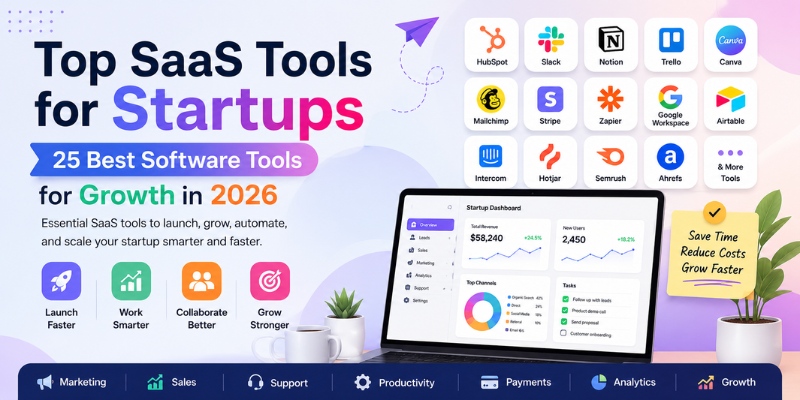
Running a startup means wearing many hats. You handle sales, marketing, support, and finance, often before your first hire. The top SaaS tools for startups make this easier by automating the busywork so you can focus on growth.
The top SaaS tools for startups help founders manage sales, marketing, customer support, reviews, payments, analytics, projects, communication, and daily operations from cloud-based software.
This guide compares 25 of the best SaaS tools for startups in 2026, organized by category, so you can build a software stack that fits your stage and budget.
Table of Contents
Quick Comparison of the Top SaaS Tools for Startups
The table below gives a fast, side-by-side look at the best SaaS tools for startups, including category, key features, and the best startup use case for each one.
| Tool | Category | Best For | Key Features | Pricing | Best Startup Use Case |
|---|---|---|---|---|---|
| GetMoreReview | Review Management | Startups & small businesses needing more reviews | Review requests, private feedback routing, Google review links, feedback dashboard | Free + paid plans | Local and service businesses building trust fast |
| IMQRScan | QR Code Marketing | Startups running offline-to-online campaigns | Dynamic QR codes, scan tracking, custom links, bulk QR generation | Free + paid plans | Packaging, menus, flyers, review QR codes |
| HubSpot | CRM & Sales | Startups managing leads and customer data | Contact management, deal pipeline, email tracking, marketing tools | Free + paid plans | Centralizing sales and customer records |
| Notion | Workspace & Docs | Teams organizing knowledge and plans | Docs, wikis, databases, task boards | Free + paid plans | Internal documentation and planning |
| Slack | Team Communication | Remote and hybrid startup teams | Channels, direct messages, app integrations | Free + paid plans | Daily team communication |
| Trello | Project Management | Small teams with simple workflows | Kanban boards, cards, checklists | Free + paid plans | Visual task tracking |
| ClickUp | All-in-One Productivity | Teams wanting tasks, docs, goals in one place | Tasks, docs, goals, time tracking | Free + paid plans | Replacing several productivity tools |
| Canva | Design | Non-designers creating marketing visuals | Templates, drag-and-drop editor, brand kits | Free + paid plans | Social posts, flyers, presentations |
| Figma | UI / Product Design | Startups building apps or websites | Interface design, prototyping, collaboration | Free + paid plans | Product and UI design teams |
| Mailchimp | Email Marketing | Startups sending newsletters and campaigns | Email automation, audience segments, templates | Free + paid plans | Email marketing for smaller lists |
| Brevo | Email & SMS Marketing | Startups needing email plus SMS | Email campaigns, SMS, automation workflows | Free + paid plans | Budget-friendly multichannel marketing |
| Zapier | Automation | Startups connecting apps without coding | App integrations, workflow triggers | Free + paid plans | Automating repetitive tasks |
| Make | Visual Workflow Automation | Teams needing more complex automations | Visual workflow builder, multi-step scenarios | Free + paid plans | Advanced automation logic |
| Stripe | Payments | Startups accepting online payments | Payment processing, invoicing, subscriptions | Varies by plan | Online and subscription billing |
| Google Workspace | Business Email & Docs | Startups needing business email and documents | Gmail, Docs, Sheets, Drive, Meet | Starts from paid plans | Core business communication |
| Calendly | Scheduling | Startups booking calls and meetings | Booking links, calendar sync, reminders | Free + paid plans | Cutting scheduling back-and-forth |
| Intercom | Customer Messaging | Startups needing live chat and support | Live chat, chatbots, help center | Starts from paid plans | Real-time customer messaging |
| Zendesk | Customer Support Tickets | Startups scaling support requests | Ticketing, knowledge base, reporting | Starts from paid plans | Organized customer support |
| Hotjar | Website Behavior Analytics | Startups improving website UX | Heatmaps, session recordings, surveys | Free + paid plans | Understanding visitor behavior |
| Google Analytics | Website Traffic Tracking | Startups tracking website performance | Traffic reports, conversion tracking | Free | Measuring marketing and SEO results |
| Semrush | SEO & Content Marketing | Startups building organic traffic | Keyword research, site audits, content tools | Paid plans | SEO and content strategy |
| Ahrefs | SEO & Competitor Research | Startups studying competitors | Backlink data, keyword explorer, rank tracking | Paid plans | Competitive SEO research |
| Buffer | Social Media Scheduling | Startups posting on social platforms | Post scheduling, analytics, multiple accounts | Free + paid plans | Consistent social media presence |
| QuickBooks | Accounting | Startups managing bookkeeping | Invoicing, expense tracking, reports | Starts from paid plans | Startup financial management |
| Airtable | Databases | Startups organizing structured data | Custom databases, views, automations | Free + paid plans | Flexible internal databases |
What Are SaaS Tools for Startups?
SaaS stands for software as a service. SaaS tools are cloud-based software products that startups use through a browser or app, without building or hosting any software themselves.
Instead of buying software once and installing it on a computer, a startup pays a monthly or yearly subscription and logs in online. The provider handles updates, security, and storage.
This is why SaaS tools for small businesses are so popular. They are quick to set up, easy to cancel, and usually offer a free plan to start.
Why Startups Need the Right SaaS Stack
A good startup software stack should solve real problems, not add extra cost. Buying too many tools too early can drain a tight budget before the business is generating steady revenue.
The right SaaS stack for startups helps with:
- Saving time on manual, repetitive tasks
- Reducing errors in sales, support, and billing
- Improving customer experience and response times
- Tracking sales and pipeline progress clearly
- Collecting reviews and customer feedback
- Automating routine work across teams
- Improving communication between team members
- Scaling operations without adding more overhead
Founders who want to explore more startup software options can also browse Tech SaaS Tools, a SaaS tools directory for discovering business, marketing, productivity, and growth software.
Top SaaS Tools for Startups by Category
Here is a closer look at 25 of the best SaaS products for startups, including what each one is best for, its main features, and any limitations to keep in mind.
GetMoreReview | Best for Review Management and Customer Feedback
GetMoreReview is a review management SaaS tool built for startups and small businesses that want more Google reviews and better customer feedback.
- Best for: Startups that need a simple way to collect reviews and protect their reputation
- Main features: Review request links, private feedback routing for unhappy customers, Google review collection, and a feedback dashboard
- Limitation: GetMoreReview manages and collects reviews and feedback. It does not remove existing bad reviews or guarantee reputation repair.
GetMoreReview helps startups and small businesses collect customer feedback, send review requests, route unhappy customers to private feedback, and improve their online reputation from one simple dashboard. This is useful for new businesses that need social proof before they have a long track record. Founders can try GetMoreReview to start sending review requests after every sale or service visit.
IMQRScan | Best for QR Code Campaigns
IMQRScan is a dynamic QR code generator built for startups that want to connect offline marketing with online pages.
- Best for: Startups running product packaging, flyers, restaurant menus, or event campaigns
- Main features: Dynamic QR codes, scan tracking, editable destination links, and bulk QR code generation
- Limitation: QR campaigns work best when the linked page is fast and mobile-friendly, so test pages on a phone before printing materials.
Startups can use a dynamic QR code generator to connect offline users with online pages, review forms, app downloads, lead forms, offers, and product pages. This makes IMQRScan useful for business cards, app download campaigns, and review QR codes that send customers straight to a Google review page. For a deeper comparison of QR tools, read our guide on the top dynamic QR code generator options for businesses, marketers, and startups.
HubSpot | Best for CRM and Sales
HubSpot is a CRM platform that helps startups track leads, deals, and customer conversations in one place.
- Best for: Startups that need an organized sales pipeline
- Main features: Contact records, deal stages, email tracking, and basic marketing tools
- Limitation: Costs can rise quickly once a startup needs advanced marketing or reporting features.
Notion | Best for Startup Workspace
Notion is a flexible workspace where startups can store notes, documents, and simple databases in one place.
- Best for: Teams that want one home for documentation and planning
- Main features: Pages, wikis, task boards, and linked databases
- Limitation: Teams need some setup time to organize Notion in a way that stays useful as they grow.
Slack | Best for Team Communication
Slack is a messaging app that keeps startup teams connected through channels and direct messages.
- Best for: Remote and hybrid teams that need fast communication
- Main features: Channels, direct messages, file sharing, and app integrations
- Limitation: Without clear channel rules, messages can pile up and important updates can get missed.
Trello | Best for Simple Project Management
Trello uses boards and cards to help startups track tasks visually without a steep learning curve.
- Best for: Small teams that want a simple, visual task tracker
- Main features: Kanban boards, checklists, due dates, and labels
- Limitation: Trello can feel limited once a team needs detailed reporting or complex workflows.
ClickUp | Best for All-in-One Productivity
ClickUp combines tasks, documents, and goals in a single productivity platform for growing teams.
- Best for: Startups that want to replace several separate tools
- Main features: Task lists, docs, goal tracking, and time tracking
- Limitation: The large feature set can feel overwhelming for very small teams at first.
Canva | Best for Startup Design
Canva is a drag-and-drop design tool that helps non-designers create marketing visuals quickly.
- Best for: Founders without a dedicated design team
- Main features: Templates, brand kits, and an easy drag-and-drop editor
- Limitation: Custom or highly technical design work may still need a professional designer.
Figma | Best for Product and UI Design
- Best for: Startups building digital products
- Main features: Interface design, prototyping, and real-time collaboration
- Limitation: Figma has a learning curve for team members without design experience.
Figma is a design tool used to build and test app or website interfaces before development.
Mailchimp | Best for Email Marketing
Mailchimp helps startups build email lists and send newsletters or promotional campaigns.
- Best for: Startups sending regular email newsletters
- Main features: Email automation, audience segmentation, and templates
- Limitation: Pricing rises as the email list grows larger.
Brevo | Best for Email and SMS Marketing
Brevo combines email and SMS marketing in one platform, which is useful for startups on a budget.
- Best for: Startups that want email and text messaging in one tool
- Main features: Email campaigns, SMS messaging, and automation workflows
- Limitation: Some advanced automation features are limited on lower-tier plans.
Zapier | Best for Automation
Zapier connects different apps so startups can automate repetitive tasks without writing code.
- Best for: Startups that want to automate simple, repeatable tasks
- Main features: App integrations, triggers, and multi-step automations
- Limitation: Costs can add up quickly with high-volume automations.
Make | Best for Visual Workflow Automation
Make is a visual automation builder that handles more complex, multi-step workflows than simpler tools.
- Best for: Teams that need detailed, branching automation logic
- Main features: A drag-and-drop workflow builder and multi-app scenarios
- Limitation: The visual builder takes more time to learn than simpler automation tools.
Stripe | Best for Online Payments
Stripe processes online payments, subscriptions, and invoices for startups selling products or services.
- Best for: Startups accepting payments online
- Main features: Payment processing, recurring billing, and invoicing
- Limitation: Transaction fees apply on every payment processed.
Google Workspace | Best for Business Email and Documents
Google Workspace provides business email, document editing, and cloud storage in one subscription.
- Best for: Startups that need a professional business email address
- Main features: Gmail, Docs, Sheets, Drive, and Meet
- Limitation: Advanced security and admin controls are mainly useful once a team grows larger.
Calendly | Best for Appointment Scheduling
Calendly lets prospects and customers book meetings directly on a founder’s calendar.
- Best for: Startups that book a lot of calls or demos
- Main features: Booking links, calendar sync, and automatic reminders
- Limitation: Team scheduling features usually require a paid plan.
Intercom | Best for Customer Messaging
Intercom gives startups live chat and messaging tools to talk with website visitors and customers in real time.
- Best for: Startups that want live chat on their website
- Main features: Live chat, chatbots, and a searchable help center
- Limitation: Pricing can be high compared to other support tools for early-stage startups.
Zendesk | Best for Customer Support Tickets
Zendesk organizes customer support requests into tickets so nothing gets lost as support volume grows.
- Best for: Startups handling a growing number of support requests
- Main features: Ticketing, a knowledge base, and support reporting
- Limitation: It may feel like more than a very small team needs in the beginning.
Hotjar | Best for Website Behavior Analytics
Hotjar shows how visitors actually use a website through heatmaps and session recordings.
- Best for: Startups trying to improve website conversion rates
- Main features: Heatmaps, session recordings, and on-page surveys
- Limitation: It shows behavior patterns but does not explain customer intent on its own.
Google Analytics | Best for Website Traffic Tracking
Google Analytics tracks website visitors, traffic sources, and conversions for free.
- Best for: Any startup that wants to measure website performance
- Main features: Traffic reports, audience data, and conversion tracking
- Limitation: The interface can feel complex for beginners without some setup guidance.
Semrush | Best for SEO and Content Marketing
Semrush helps startups research keywords, audit their website, and plan content that ranks in search.
- Best for: Startups investing in organic search traffic
- Main features: Keyword research, site audits, and content planning tools
- Limitation: It requires a paid plan and some SEO knowledge to use effectively.
Ahrefs | Best for SEO and Competitor Research
Ahrefs gives startups detailed backlink and keyword data to study competitors and plan SEO strategy.
- Best for: Startups that want to study competitor SEO strategies
- Main features: Backlink analysis, keyword explorer, and rank tracking
- Limitation: It is a paid tool aimed more at marketers than complete beginners.
Buffer | Best for Social Media Scheduling
Buffer lets startups plan and schedule social media posts across multiple platforms in advance.
- Best for: Startups that want consistent social media posting
- Main features: Post scheduling, basic analytics, and multiple account support
- Limitation: Deeper analytics and engagement features are limited on lower-tier plans.
QuickBooks | Best for Startup Accounting
QuickBooks handles invoicing, expense tracking, and basic financial reporting for small businesses.
- Best for: Startups that need organized bookkeeping
- Main features: Invoicing, expense tracking, and financial reports
- Limitation: An accountant is still useful for tax strategy and more complex finances.
Airtable | Best for Startup Databases
Airtable mixes spreadsheets and databases, giving startups a flexible way to organize structured information.
- Best for: Startups tracking structured data like inventory or content
- Main features: Custom databases, multiple views, and light automations
- Limitation: Very large or complex datasets may need a dedicated database tool instead.
Best SaaS Tools for Startup Marketing
Marketing SaaS tools for startups help with traffic, leads, visibility, and engagement, often at a fraction of the cost of a full marketing team.
- Canva and Figma support visual content and design
- Mailchimp and Brevo handle email marketing and automation
- Buffer keeps social media posting consistent
- Semrush and Ahrefs support SEO and content strategy
- IMQRScan connects offline campaigns like flyers and packaging to online pages through a dynamic QR code generator
- Hotjar and Google Analytics show how visitors behave once they arrive
Best SaaS Tools for Startup Sales and CRM
Sales SaaS tools for startups help founders manage leads, schedule calls, send proposals, collect payments, and follow up without losing track of conversations.
- HubSpot organizes leads and deals in one CRM
- Calendly removes the back-and-forth of booking meetings
- Stripe handles payments and recurring billing
- Google Workspace supports email, proposals, and shared documents
- Intercom helps convert website chats into qualified leads
Startups running outbound sales may also need B2B sales intelligence tools to identify target accounts, find decision-maker contact data and prioritize prospecting.
Best SaaS Tools for Startup Customer Support
Customer support SaaS tools keep response times fast and customers informed, which matters even more for a young brand without a long reputation yet.
- Intercom and Zendesk manage live chat and support tickets
- Slack keeps internal teams aligned on customer issues
- GetMoreReview collects feedback and routes unhappy customers to private channels instead of public complaints
Best SaaS Tools for Productivity and Operations
Startup software tools for productivity keep tasks, documents, and workflows organized as the team grows beyond a few people.
- Notion stores documentation and internal knowledge
- ClickUp and Trello organize tasks and projects
- Airtable manages structured data like inventory or content calendars
- Google Workspace handles shared files and email
- Zapier and Make automate repetitive work between apps
Best SaaS Tools for Review Management and Trust Building
Customer reviews can help a startup build trust faster, especially when buyers do not know the brand yet. A review management SaaS tool makes it easier to ask for reviews at the right moment and respond before small issues become public complaints.
GetMoreReview is built for this exact job. It lets startups send review requests, collect feedback, and route unhappy customers to private feedback instead of a public review, all from one dashboard. For a broader comparison of tools that support reviews, brand trust, and reputation protection, read our guide to the best online reputation management companies.
Startups can also use their Google Business Profile alongside a review tool to keep their public listing active and accurate.
Startup SaaS Software Cost Table
Software costs should match the stage of the business. The table below gives safe, general budget ranges for different types of startups.
| Startup Stage | Main Software Needs | Suggested Tools | Estimated Monthly Budget | Best Advice |
|---|---|---|---|---|
| Solo founder | Email, scheduling, basic docs | Google Workspace, Calendly, Canva | $0–$50/month | Start on free plans and upgrade only when needed |
| Pre-revenue startup | Planning, design, communication | Notion, Slack, Canva, Trello | $0–$50/month | Use free plans until you have paying customers |
| Early-stage startup | CRM, email marketing, payments | HubSpot, Mailchimp, Stripe | $50–$150/month | Add paid tools as customer volume grows |
| Local service startup | Reviews, QR campaigns, scheduling | GetMoreReview, IMQRScan, Calendly | $50–$150/month | Focus on trust-building and local visibility |
| SaaS startup | Product analytics, support, automation | Intercom, Zendesk, Zapier | $150–$500/month | Prioritize tools that scale with active users |
| Agency startup | Project management, CRM, reporting | ClickUp, HubSpot, Airtable | $150–$500/month | Choose tools that support multiple clients |
| Growing team | Communication, productivity, support | Slack, ClickUp, Zendesk | $150–$500/month | Standardize tools across every department |
| Funded startup | Full software stack across departments | HubSpot, Zendesk, Semrush, QuickBooks | $500+/month | Track ROI closely as software spending increases |
Business Growth and Profit Impact Factors
Some SaaS tools have a bigger impact on growth than others. This table breaks down which factors matter most and which tools help with each one.
| Factor | Helpful SaaS Tools | How It Helps Growth | Business Impact |
|---|---|---|---|
| Lead generation | HubSpot, Calendly, Google Analytics | Captures and organizes potential customers | More qualified leads enter the sales pipeline |
| Review growth | GetMoreReview | Makes it simple to request and collect reviews | Builds trust and improves conversion rates |
| Customer support | Zendesk, Intercom, Slack | Resolves issues faster and keeps customers informed | Lower churn and higher customer satisfaction |
| Payment collection | Stripe | Simplifies billing and online payments | Faster and more reliable revenue collection |
| SEO traffic | Semrush, Ahrefs, Google Analytics | Improves search visibility and content performance | More organic traffic without extra ad spend |
| Email marketing | Mailchimp, Brevo | Nurtures leads and repeat customers | Higher repeat sales and engagement |
| Automation | Zapier, Make | Removes repetitive manual tasks | More time for high-value work |
| Team productivity | Notion, ClickUp, Trello | Keeps tasks and projects organized | Faster execution with fewer missed deadlines |
| Analytics | Google Analytics, Hotjar | Shows what is working and what is not | Better decisions based on real data |
| Customer retention | Intercom, GetMoreReview, Zendesk | Keeps customers engaged and heard | Higher lifetime value per customer |
How to Choose the Right SaaS Tools for Your Startup
Choosing the right startup software stack is a step-by-step process, not a one-time decision. Follow these steps before buying any new tool.
- Step 1: List your biggest business problems. Write down what is actually slowing you down, such as missed follow-ups or scattered customer data.
- Step 2: Separate must-have tools from nice-to-have tools. Only the must-haves need a budget right away.
- Step 3: Start with free or low-cost plans. Most of the best SaaS tools for startups offer a free tier to test before upgrading.
- Step 4: Choose tools that integrate with each other. This avoids manual copy-pasting between systems.
- Step 5: Avoid buying overlapping tools. Two tools that do the same job waste money and confuse the team.
- Step 6: Track ROI every month. Check whether each tool is actually saving time or generating revenue.
- Step 7: Remove tools your team does not use. Unused subscriptions are one of the easiest costs to cut.
Common Mistakes Startups Make When Buying SaaS Tools
- Buying too many tools too early, before the business needs them
- Choosing enterprise tools before the team is large enough to need them
- Ignoring integrations and ending up with disconnected systems
- Not checking monthly cost creep as more tools get added
- Using tools without clear ownership inside the team
- Not training the team, so adoption stays low
- Keeping unused subscriptions running month after month
Which SaaS Tools Should a Startup Use First?
Most startups should start with tools for email, website analytics, CRM, project management, payments, customer communication, and review management. These cover the basics needed to sell, support, and grow.
Local startups should also add review and QR campaign tools, since trust and local visibility matter early on. SaaS startups should prioritize product analytics, support, and onboarding tools instead.
Agencies tend to need project management, CRM, reporting, and automation tools first, since they manage multiple clients at once. In every case, the top SaaS tools for startups are the ones that solve a real, current problem, not the ones with the longest feature list.
FAQs
What are the top SaaS tools for startups?
The top SaaS tools for startups cover CRM, marketing, customer support, reviews, payments, analytics, and productivity. Popular examples include HubSpot, Notion, Slack, Stripe, GetMoreReview, and Google Analytics. Most startups combine a small set of these tools to run daily operations.
What SaaS tools does a startup need first?
Most startups should start with email, website analytics, a CRM, project management, payments, and a review management tool. These cover the basics of communication, sales, and trust-building. Other tools can be added as the business grows.
What is the best SaaS CRM for startups?
HubSpot is one of the most popular SaaS CRMs for startups because it offers a free plan and simple contact and deal tracking. It works well for founders who are managing their first leads and customers.
What is the best SaaS tool for startup marketing?
Startups often combine Canva, Mailchimp, Buffer, and Semrush for marketing. Canva helps with design, Mailchimp handles email, Buffer manages social posts, and Semrush supports SEO and content planning.
What is the best SaaS tool for customer reviews?
GetMoreReview is built specifically for review management. It helps startups send review requests, collect feedback, route unhappy customers to private feedback, and track customer sentiment from one dashboard.
Are free SaaS tools enough for startups?
Free plans are usually enough for solo founders and pre-revenue startups. As customer numbers grow, most startups need paid plans for higher usage limits, more automation, and better support.
How much should startups spend on SaaS tools?
Spending depends on the stage of the business. Solo founders can often stay under $50 a month, while growing teams may spend $150 to $500 a month or more across their full software stack.
What is the best SaaS stack for a new startup?
A simple starting stack includes Google Workspace, a CRM like HubSpot, Canva, Slack, Stripe, and a review tool like GetMoreReview. This covers communication, sales, design, payments, and reputation in one lightweight setup.
Which SaaS tools help startups grow faster?
Tools that generate leads, collect reviews, automate tasks, and track analytics tend to have the biggest impact on growth. CRM, email marketing, review management, and automation tools are common starting points.
How do startups choose the right software tools?
Startups should list their biggest problems first, then choose tools that solve those problems without overlapping. Free or low-cost plans, easy integrations, and clear ownership inside the team all help with making the right choice.
Conclusion
The best SaaS stack depends on your business stage, budget, team size, and growth goals. A solo founder needs a much lighter setup than a funded startup with a growing team.
The top SaaS tools for startups covered in this guide, from CRM and marketing to reviews, payments, and automation, give you a practical starting point for 2026.
Start simple, measure results, and remove any tool your team is not actually using. The right SaaS stack should save time and support growth, not add cost without a clear return.