Businesses lose many hours every week to repeat work. Employees copy information, update records, check forms, send standard emails, and move data between systems. These tasks may look small, but they can create delays, errors, and higher operating costs.
This is why people search for droven.io RPA and business automation. They want to understand how software robots, workflow tools, and artificial intelligence can reduce manual work.
However, there is one important point to understand. Droven.io is not presented on its official website as an RPA software product. It is an editorial knowledge platform that publishes information about artificial intelligence, digital transformation, automation, software, and future technology.
Its RPA content can help business owners learn how automation works before they compare or buy tools.
Quick Answer
Droven.io RPA and business automation refers to educational content about robotic process automation and modern workflow tools. Droven.io explains the concepts, while separate RPA platforms perform the actual automation.
This guide explains what RPA means, what Droven.io contributes to the topic, which business tasks companies can automate, and how to build a safe automation plan.
Table of Contents
What Is Droven.io RPA and Business Automation?
Definition
Droven.io RPA and business automation is a search term used for Droven.io content that explains robotic process automation, digital workflows, artificial intelligence, and business process improvement.
Droven.io publishes technology information for business owners, developers, startup teams, and people who want to understand new digital tools.
Its automation guides can help readers answer questions such as:
- What is robotic process automation?
- Which tasks are suitable for automation?
- How do software robots work?
- What is the difference between RPA and AI?
- What risks should a company consider?
- How should a business select an automation platform?
- When should employees remain involved?
Droven.io can support the research stage. It does not replace a real RPA platform, implementation partner, technical team, or business process analyst.
This difference matters because several third-party articles describe Droven.io as if it sells its own no-code automation platform. The official website describes itself as an editorial source for artificial intelligence, emerging technology, and modern business.
What Is Robotic Process Automation?
Robotic process automation, or RPA, uses software robots to perform repeat computer tasks.
The robot normally follows a clear set of rules.
A software robot can open an application, enter data, copy values, click buttons, download files, create reports, and send notifications.
For example, an accounts employee may receive an invoice by email. The employee downloads the invoice, checks the supplier name, enters the amount into an accounting system, and sends it for approval.
An RPA bot may complete many of these steps automatically.
It can:
- Open the email inbox.
- Find messages with invoices.
- Download each attachment.
- read invoice fields.
- Check the supplier against a database.
- Enter the data into the finance system.
- Send the invoice to the right approver.
- Record the result in an audit log.
RPA works best when a task has clear steps, stable systems, structured information, and limited judgment.
Key Takeaway
RPA does not mean using a physical robot. It means using software that copies actions people normally perform on a computer.
What Is Business Automation?
Business automation is a wider term than RPA.
It includes any use of technology to complete, manage, or improve business processes with less manual effort.
Business automation may use:
- Robotic process automation
- Workflow management software
- Application programming interfaces
- Artificial intelligence
- Machine learning
- Document recognition
- Email automation
- Customer relationship management tools
- Low-code platforms
- Business rules
- Data integration
- Approval systems
RPA often works through the screens of an application. An API connects systems directly through software instructions. A workflow platform controls the order of tasks, approvals, and decisions.
Modern automation projects may combine all three.
RPA vs Business Automation
| Area | RPA | Business Automation |
|---|---|---|
| Main purpose | Copies repeat computer actions | Improves a complete business process |
| Common method | Software bots use screens and fields | Workflows, APIs, bots, rules, and AI |
| Best for | Stable and rule-based tasks | End-to-end processes |
| Example | Copy invoice data into an ERP | Manage the full invoice approval process |
| Human involvement | Often limited to exceptions | Can include approvals and decisions |
| System changes | May work with older systems | Often connects several modern systems |
| Project scope | Usually task focused | Usually process focused |
RPA can be one part of a larger business automation plan.
For example, a company may use an RPA bot to collect data from an old desktop system. It may then use an API to send that information to a cloud platform. A workflow tool can ask a manager to approve the result.
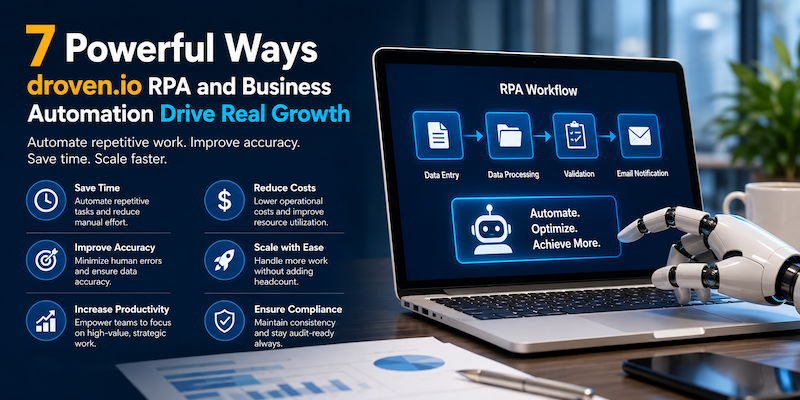
7 Powerful Benefits of Droven.io RPA and Business Automation Research
Reading about automation does not create results by itself. However, good research can help a business avoid poor decisions.
Here are seven ways Droven.io RPA and business automation content may support a company.
1. It Makes RPA Easier to Understand
RPA can sound complex when vendors use technical language.
Simple educational content can explain RPA through normal business examples, such as:
- Moving customer details between systems
- Creating weekly reports
- Checking order records
- Processing employee forms
- Sending payment reminders
- Updating inventory data
- Reviewing standard claims
This helps managers understand what automation can and cannot do.
It also makes conversations with software vendors easier. A business owner who knows basic RPA terms can ask better questions about integrations, security, bot management, and support.
Best Practice
Learn the basic automation terms before requesting software demonstrations. This helps your team compare products based on real needs rather than sales language.
2. It Helps Teams Find Repeat Work
Many companies know they have slow processes, but they do not know which tasks create the delay.
RPA research encourages teams to study how work moves through the business.
A process may be suitable for automation when it:
- Happens many times
- Follows clear rules
- Uses digital information
- Has few exceptions
- Takes employees many hours
- Creates frequent data errors
- Requires information from several systems
- Has clear inputs and outputs
A company should not start with its most complex process. It should first look for a small task with a clear result.
For example, a customer service team may receive hundreds of online forms every week. Employees may copy the same customer details into a CRM.
This is a stronger first RPA project than automating a process that depends on personal judgment, changing rules, and unclear data.
3. It Supports Better Tool Selection
The market includes many types of automation software.
Some tools focus on desktop actions. Others connect cloud applications. Some handle documents. Others manage large enterprise workflows.
Droven.io RPA and business automation research can introduce readers to the features they should compare.
Useful selection questions include:
- Does the tool work with our existing systems?
- Can it handle desktop and web applications?
- Does it offer attended and unattended bots?
- Can users manage exceptions?
- Does it include audit logs?
- Can the company control user permissions?
- Does it protect passwords and business data?
- Can the tool scale across departments?
- What happens when an application screen changes?
- Is technical support included?
- How is the software priced?
- Can the company export its workflow data?
A small business may only need a simple workflow tool. A bank, hospital, or international company may need strong governance, access control, monitoring, and audit features.
The right choice depends on the process, risk, team size, and system environment.
4. It Shows Where AI Can Improve Automation
Traditional RPA follows fixed instructions.
It works well when every case looks similar. It becomes less reliable when the information is unclear or unstructured.
Artificial intelligence can help automation systems work with:
- Emails
- Documents
- Images
- Customer questions
- Different invoice layouts
- Text classifications
- Predictions
- Written summaries
- Unusual cases
For example, a traditional RPA bot may copy a value from the same field in every spreadsheet. An AI document tool may identify a total amount across invoices that use different layouts.
The AI result can then pass to an RPA bot for entry into another system.
However, AI should not make every decision alone. Important financial, legal, medical, or employment decisions often need human review.
Key Takeaway
RPA follows steps. AI helps interpret information. A strong automation system may use both, with people reviewing high-risk decisions.
5. It Helps Businesses Think About Risk
Automation can save time, but a poorly designed bot can repeat mistakes very quickly.
Imagine that a bot uses the wrong tax rate. A person may make the error on one invoice. A bot may apply it to thousands of invoices before anyone notices.
Businesses therefore need controls.
Important RPA risks include:
- Incorrect business rules
- Weak access security
- Exposed passwords
- Missing audit records
- Poor exception handling
- Changes to application screens
- Duplicate transactions
- Incorrect data
- Bot failures
- Unclear process ownership
- Lack of testing
- No recovery plan
Droven.io RPA and business automation content can help readers understand that automation needs ownership and monitoring.
A bot is not a set-and-forget worker. Someone must review its performance, update its rules, and respond when systems change.
6. It Encourages Process Improvement Before Automation
A bad process does not become good just because it runs faster.
If a process includes unnecessary approvals, duplicate data entry, unclear rules, or outdated steps, a company should fix those problems first.
A useful automation review asks:
- Why does this step exist?
- Does the business still need it?
- Can two steps be combined?
- Can an API replace screen-based automation?
- Is the same data stored more than once?
- Who owns the final result?
- What should happen when the bot cannot continue?
- Which decisions require a person?
This approach prevents companies from automating waste.
Best Practice
Simplify the process first. Automate the improved version, not the old version.
7. It Helps Build a Realistic Automation Roadmap
Automation often fails when a company tries to automate too much at once.
A roadmap gives the team a clear order.
A simple roadmap may include:
- Find repeat tasks.
- Estimate time and error costs.
- Select one low-risk process.
- Write the current process steps.
- Remove unnecessary work.
- Select an automation method.
- Build a small pilot.
- Test normal and unusual cases.
- Train the process owner.
- Measure the result.
- Improve the workflow.
- Expand only after the pilot works.
This staged method helps the company learn before making a large investment.
Real Example: Automating Supplier Invoice Entry
Consider a distribution company that receives 1,500 supplier invoices each month.
Before automation, the finance team completes these steps:
- Open each supplier email.
- Download the invoice.
- Read the invoice number.
- Read the supplier code.
- Check the purchase order.
- Enter the invoice into the accounting system.
- Send the invoice for approval.
- Update a tracking spreadsheet.
- File the document.
The work takes about five minutes per invoice.
That equals 7,500 minutes, or 125 staff hours, every month.
The company decides to automate the process.
Automated Workflow
The new workflow performs these steps:
- An inbox rule sends invoices to a processing folder.
- Document software reads the invoice fields.
- A business rule checks the supplier and purchase order.
- An RPA bot enters approved data into the older accounting system.
- A workflow tool sends the invoice to a manager.
- The system records the action and status.
- Employees review only failed or unusual invoices.
What Can Go Wrong?
The company still needs controls.
For example:
- The invoice may have no purchase order.
- The supplier may use a new invoice layout.
- The total may not match the purchase order.
- The accounting system may be offline.
- The invoice may be a duplicate.
- The currency may be incorrect.
The automated process must stop or send these cases to a person.
Result Measurement
The company should compare:
- Average processing time
- Number of manual touches
- Error rate
- Number of duplicate invoices
- Approval time
- Cost per invoice
- Exception rate
- Hours returned to the finance team
This example shows why automation is more than building a bot. It requires process design, controls, data quality, and clear ownership.
Which Business Tasks Are Best for RPA?
RPA works well for high-volume tasks with clear rules.
Finance and Accounting
Common uses include:
- Invoice entry
- Payment matching
- Account reconciliation
- Expense checks
- Financial report preparation
- Customer account updates
- Tax data collection
- Late payment reminders
Human Resources
HR teams may automate:
- Employee onboarding forms
- Account creation requests
- Timesheet checks
- Payroll data entry
- Leave balance updates
- Employee record changes
- Exit checklists
- Standard employment letters
Customer Service
Customer operations may automate:
- Ticket classification
- Customer data updates
- Standard response emails
- Refund status checks
- Order tracking
- Complaint routing
- Service request creation
Sales and Marketing
Sales teams may automate:
- Lead entry
- CRM updates
- Meeting reminders
- Quote generation
- Lead assignment
- Campaign reports
- Contact list cleaning
- Follow-up tasks
Before CRM updates and follow-up workflows can be automated effectively, sales teams need reliable prospect data. Our guide to B2B sales intelligence tools compares platforms for contact data, enrichment, intent and outbound prospecting.
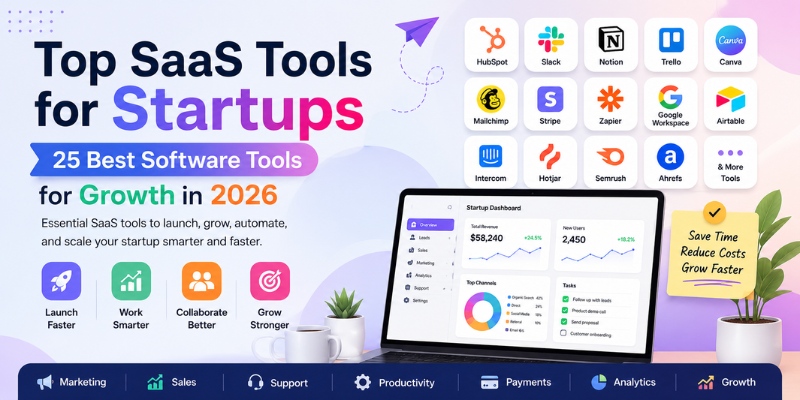
Businesses studying digital growth may also explore AT HUB Technology’s guide to performance marketing agencies and its list of SaaS tools for startups.
Supply Chain and Operations
Operations teams may automate:
- Purchase order updates
- Shipment tracking
- Inventory reports
- Supplier record checks
- Delivery notifications
- Order status updates
- Product data entry
Information Technology
IT teams may automate:
- User account setup
- Password reset requests
- System health checks
- File transfers
- Software installation
- Alert handling
- Access reviews
- Backup validation
Which Tasks Should Not Be Automated First?
Not every task is suitable for RPA.
Avoid starting with work that:
- Changes every week
- Depends on personal judgment
- Has many unusual cases
- Uses poor-quality data
- Has no clear owner
- Includes sensitive decisions
- Has unclear business rules
- Happens only a few times per year
- Requires constant system changes
- Has greater automation cost than benefit
For example, a company should not automate final hiring decisions. It may automate interview scheduling and document collection, but people should review candidates.
The same rule applies to major credit, medical, legal, and disciplinary decisions.
Attended vs Unattended RPA
| Type | How It Works | Best Use |
|---|---|---|
| Attended RPA | Runs with an employee on a computer | Helping service agents during live work |
| Unattended RPA | Runs on a server or virtual machine | Large scheduled back-office tasks |
| Hybrid RPA | Combines employee actions and background bots | Processes with approvals and exceptions |
An attended bot may collect information while a customer service agent speaks to a customer.
An unattended bot may create reports every night without a person starting it.
A hybrid workflow may ask an employee to approve a request before the bot completes the final update.
RPA vs AI vs Workflow Automation
| Technology | Main Strength | Common Example |
|---|---|---|
| RPA | Copies repeat user actions | Entering data into a legacy system |
| AI | Interprets or creates information | Reading documents or classifying emails |
| Workflow automation | Controls steps and approvals | Sending a request to the right manager |
| API integration | Connects systems directly | Sending order data from a store to an ERP |
| Business process management | Designs and measures full processes | Managing an end-to-end claims process |
A company should not force RPA into every situation.
An API is often more stable when two systems can connect directly. RPA is useful when an old system has no suitable API.
How to Start an RPA Project in 10 Steps
1. Choose a Clear Business Problem
Start with the problem, not the tool.
Examples include:
- Invoice entry takes too long.
- Customer data contains too many errors.
- Reports require several hours each week.
- Employees copy the same information between systems.
2. Map the Current Process
Write every step.
Include:
- Who starts the task
- Which systems are used
- Which data is required
- Which decisions are made
- What happens when something fails
- Who approves the output
3. Measure the Current Cost
Record:
- Monthly transaction volume
- Time per transaction
- Employee cost
- Error rate
- Delay cost
- Rework time
- Compliance risk
4. Remove Unnecessary Steps
Simplify forms, approvals, data fields, and reports before building the bot.
5. Select the Right Technology
Decide whether the process needs:
- RPA
- API integration
- Workflow automation
- AI document processing
- A combination of tools
6. Define Success
Set clear measures.
For example:
- Reduce processing time by 50 percent.
- Cut manual data entry by 70 percent.
- Lower errors below 1 percent.
- Complete reports by 8:00 a.m. daily.
7. Build a Small Pilot
Use a limited number of transactions and users.
Do not automate the full company process on the first day.
8. Test Exceptions
Test missing data, duplicate records, system outages, incorrect files, and unusual values.
9. Assign an Owner
A named employee or team should own the process, bot rules, access rights, and performance reports.
10. Review and Improve
Check results every week during the early stage.
Update rules when systems or business needs change.
How to Calculate RPA Return on Investment
A simple RPA calculation can compare annual savings with implementation and operating costs.
Basic Formula
Annual benefit = saved staff time + reduced error cost + avoided delay cost
ROI = (annual benefit minus annual cost) divided by annual cost × 100
Example:
- Saved labor cost: $24,000
- Reduced rework cost: $6,000
- Avoided delay cost: $4,000
- Total annual benefit: $34,000
- Annual automation cost: $20,000
ROI:
($34,000 – $20,000) ÷ $20,000 × 100 = 70 percent
The calculation should also include hidden costs, such as:
- Process analysis
- Development
- Testing
- Licences
- Cloud or server costs
- Monitoring
- Support
- Training
- Security reviews
- Future maintenance
RPA Governance Checklist
Automation governance defines how the company selects, builds, tests, monitors, and retires bots.
A basic checklist should include:
- Named business owner
- Named technical owner
- Written process document
- Approved access rights
- Password vault
- Change control
- Test evidence
- Error logging
- Audit history
- Data retention rules
- Security review
- Backup process
- Recovery plan
- Performance monitoring
- Bot retirement process
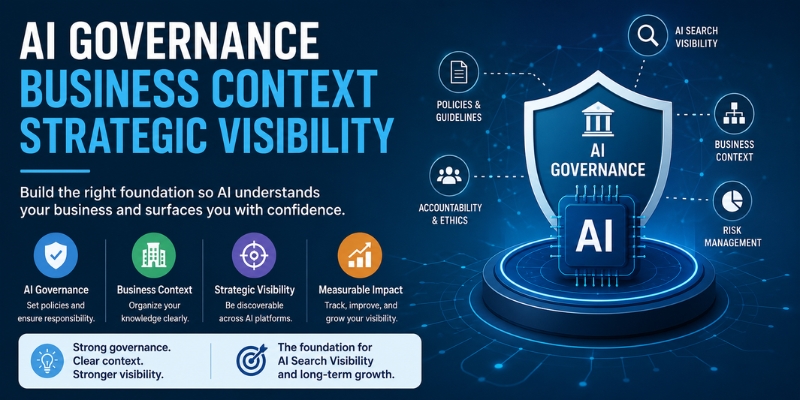
Companies developing a wider technology strategy may also read AT HUB Technology’s guide to AI governance and business context.
Common RPA Mistakes
Automating a Broken Process
This makes bad work happen faster.
Ignoring Exceptions
Every process has unusual cases. The workflow must know when to stop and ask a person.
Giving Bots Too Much Access
Bots should receive only the permissions they need.
Depending on Screen Positions
Bots that rely only on fixed screen locations may fail after a system update.
Skipping User Testing
The employees who perform the task should test the automated process.
Measuring Only Time Savings
Companies should also measure accuracy, service quality, risk, and employee experience.
Treating RPA as a One-Time Project
Bots require monitoring and maintenance.
Is Droven.io an RPA Software Platform?
No clear evidence on the official Droven.io website shows that it sells or operates its own RPA software platform.
Droven.io describes itself as a technology and AI information website. It publishes educational articles, tool guides, reviews, and business technology content.
Readers can use Droven.io RPA and business automation information to learn about the subject. They will still need to select a separate automation tool or development approach for implementation.
For a practical outside view on RPA planning, IBM explains that business users may build simple bots, but IT involvement remains important for design, testing, hosting, maintenance, and platform management.
How to Evaluate Automation Advice Online
Search results can contain conflicting information.
Use these checks before trusting an automation article:
- Open the official website.
- Read the company’s About page.
- Look for an actual product page.
- Check whether pricing or documentation exists.
- Confirm whether the business sells software or only publishes articles.
- Compare claims with trusted technical sources.
- Avoid articles that repeat unsupported product features.
- Request a real software demonstration before buying anything.
Best Practice
Never select an automation tool based only on one review article. Confirm features, prices, integrations, security, and support directly with the vendor.
Final Verdict
Droven.io RPA and business automation is best understood as an educational topic, not the name of a confirmed software product.
Droven.io can help readers understand robotic process automation, artificial intelligence, workflow improvement, and digital transformation.
The practical value comes from using that knowledge carefully.
A business should:
- Find stable and repeat tasks.
- Improve the process before automating it.
- Select the right tool for the job.
- Test normal and unusual cases.
- Keep people involved in important decisions.
- Protect data and system access.
- Measure results.
- Maintain the automation over time.
RPA can reduce manual work and improve accuracy when the process is suitable. It can also create new problems when rules, data, ownership, and controls are weak.
The best automation project is not always the biggest one. It is the one that solves a clear problem, produces a measurable result, and remains safe to operate.
Frequently Asked Questions
What is droven.io RPA and business automation?
It refers to Droven.io educational content covering robotic process automation, workflow tools, AI automation, digital transformation, and practical business process improvement.
Is Droven.io an RPA software product?
Droven.io presents itself as an AI and technology information platform. Its official website does not clearly show a proprietary RPA software product.
What does an RPA bot do?
An RPA bot follows set rules to click buttons, enter data, move files, update records, create reports, and send standard messages.
Which tasks are best for RPA?
RPA works best for frequent, digital, stable, rule-based tasks with clear inputs, outputs, and limited need for human judgment.
Can small businesses use RPA?
Yes. Small businesses can automate invoicing, CRM updates, reports, reminders, order processing, and other repeat administrative tasks.
Is RPA the same as artificial intelligence?
No. RPA follows defined steps. AI interprets information, finds patterns, creates content, or supports decisions from less structured data.
Can RPA work with old software?
Yes. RPA can interact with older software through its user interface when the system does not provide a suitable API.
What is attended RPA?
Attended RPA runs alongside an employee and helps complete tasks during live work, such as customer service or data entry.
What is unattended RPA?
Unattended RPA runs independently on a server or virtual machine, often completing scheduled, high-volume back-office work.
Does RPA remove the need for employees?
RPA normally removes repeat steps rather than entire roles. Employees still manage exceptions, customers, decisions, controls, and process improvement.
What are the main RPA risks?
Key risks include wrong rules, weak access control, poor data, missing audit logs, system changes, bot failures, and unhandled exceptions.
How long does an RPA project take?
A small pilot may take weeks, while a complex enterprise process can take months. Timing depends on systems, rules, data, and testing.
How much does RPA cost?
Cost depends on licences, bot volume, infrastructure, development, support, security, training, and the complexity of the selected process.
How do companies measure RPA success?
Companies measure processing time, manual hours, error rates, cost per transaction, exception rates, service speed, and compliance results.
Should companies automate every repeat task?
No. Automation may not be valuable when transaction volume is low, rules change often, or implementation costs exceed expected savings.
What is intelligent automation?
Intelligent automation combines RPA with AI, document processing, workflow tools, analytics, and human review to manage more complex work.
Do RPA bots need maintenance?
Yes. Bots require monitoring and updates when screens, passwords, applications, data formats, business rules, or security policies change.
Can RPA improve data accuracy?
Yes, when the source data and rules are correct. A bot can apply the same validated steps consistently across many transactions.
Why should IT support RPA projects?
IT teams help with security, infrastructure, access, integrations, testing, support, recovery, updates, and long-term platform management.
What should a company automate first?
Start with a low-risk, high-volume task that follows clear rules, uses reliable digital data, and has a measurable business result.
Suggested Article Tags
Droven.io, RPA, Business Automation, Robotic Process Automation, Workflow Automation, AI Automation, Digital Transformation, Business Process Automation, Intelligent Automation, Software Robots, Process Improvement, Automation Strategy